

main/trunk branch. We currently don’t have support for multiple queues on a single repository (that is, two merge queues for the trunk branch and deploy branch of a repository).
Prerequisites
Enable the Graphite merge queue for your repository
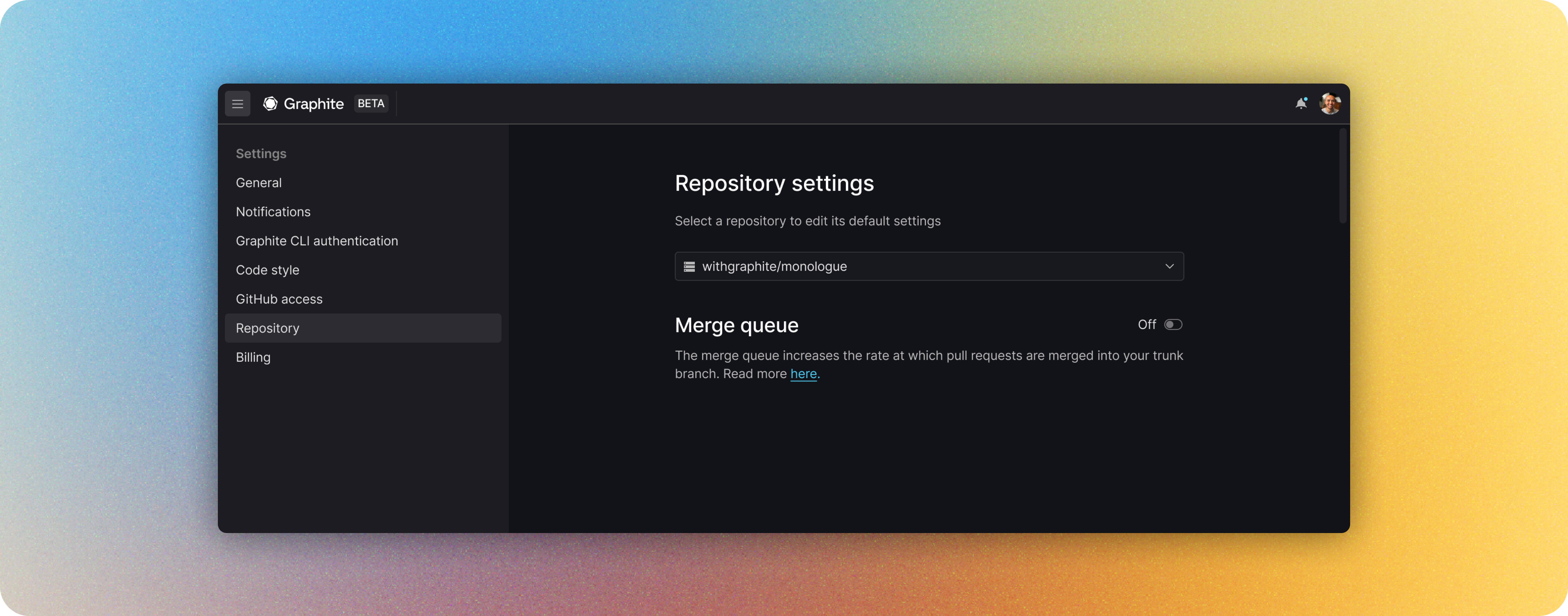
- Click Add merge queue
- Select the repository you want to enable it for by using the dropdown selector
- Click Next to adjust and save your merge queue settings
Configure the merge queue for your repository
In GitHub, most repos use either branch protection rules or rulesets to restrict certain actions. Follow the corresponding instructions for what your repo uses. Some orgs may use both if transitioning from branch protection rules to rulesets: in that case, follow both instructions.Branch protection rules
Push permissions
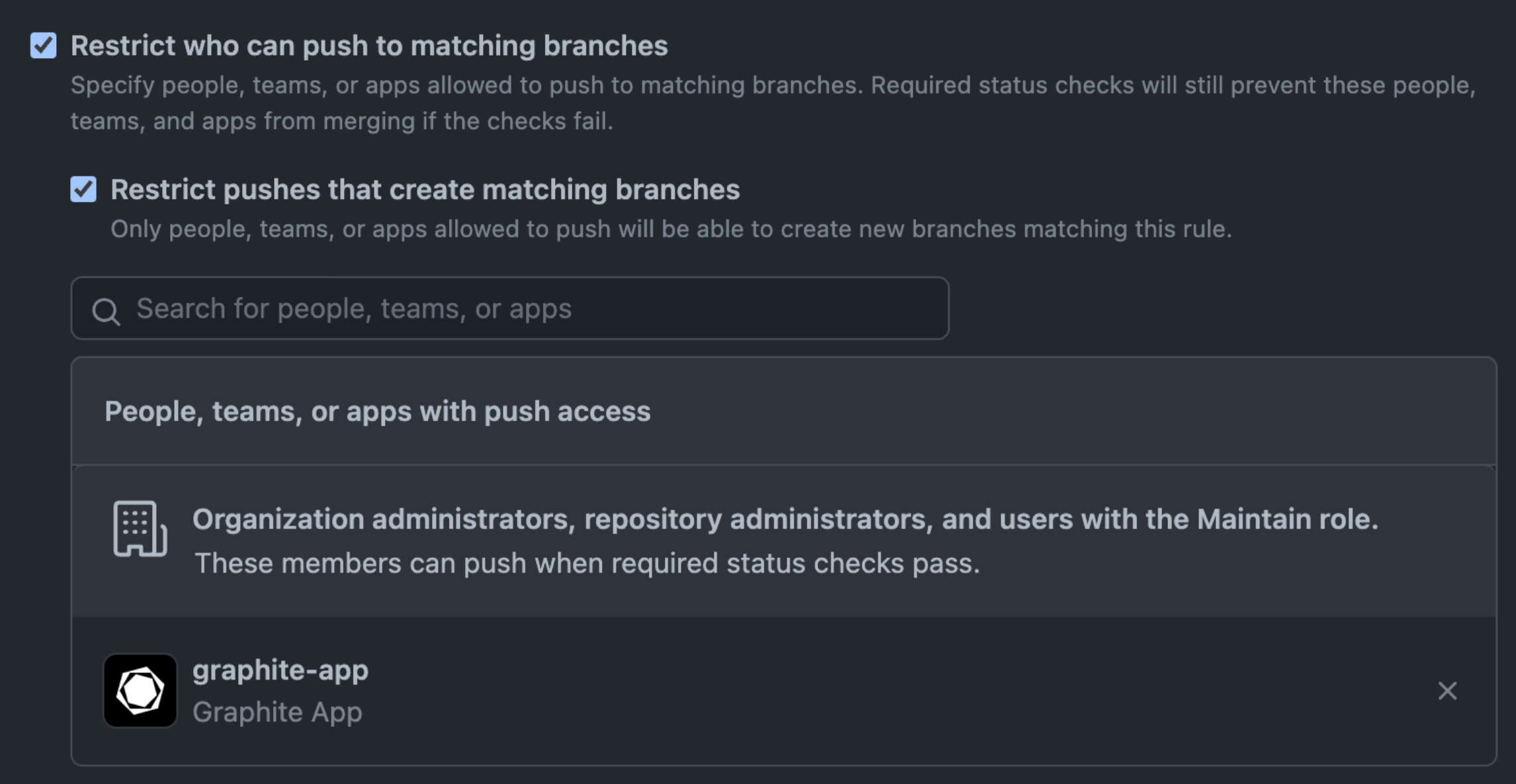
Some repositories restrict which accounts can merge to the trunk branch with the Restrict who can push to matching branches branch protection rule.-
Required: if this setting is already enabled for your repo’s trunk branch, add
graphite-appto the list of actors with push access. Otherwise, this rule will prevent the merge queue from merging PRs. -
Strongly recommended: enable this setting, and make
graphite-appthe only actor with push access. This helps your teammates remember to use the merge queue for merging.
Graphite is not “required” to be the controller of history on
main—and combining Graphite merge queue merges and non-merge queue merges will function—but the experience is much worse. If there are merges made to main outside the merge queue, they will be detected and the merge queue will restart the merge (rebase on top of those changes and restart CI) that is currently active. This could lead to failures if a timeout is configured for the merge queue, and results in users constantly being pushed behind non-merge queue users.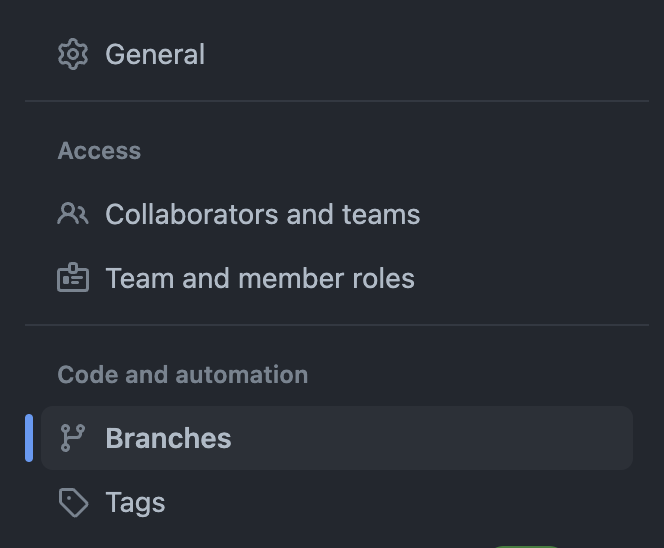

Bypass PR permissions
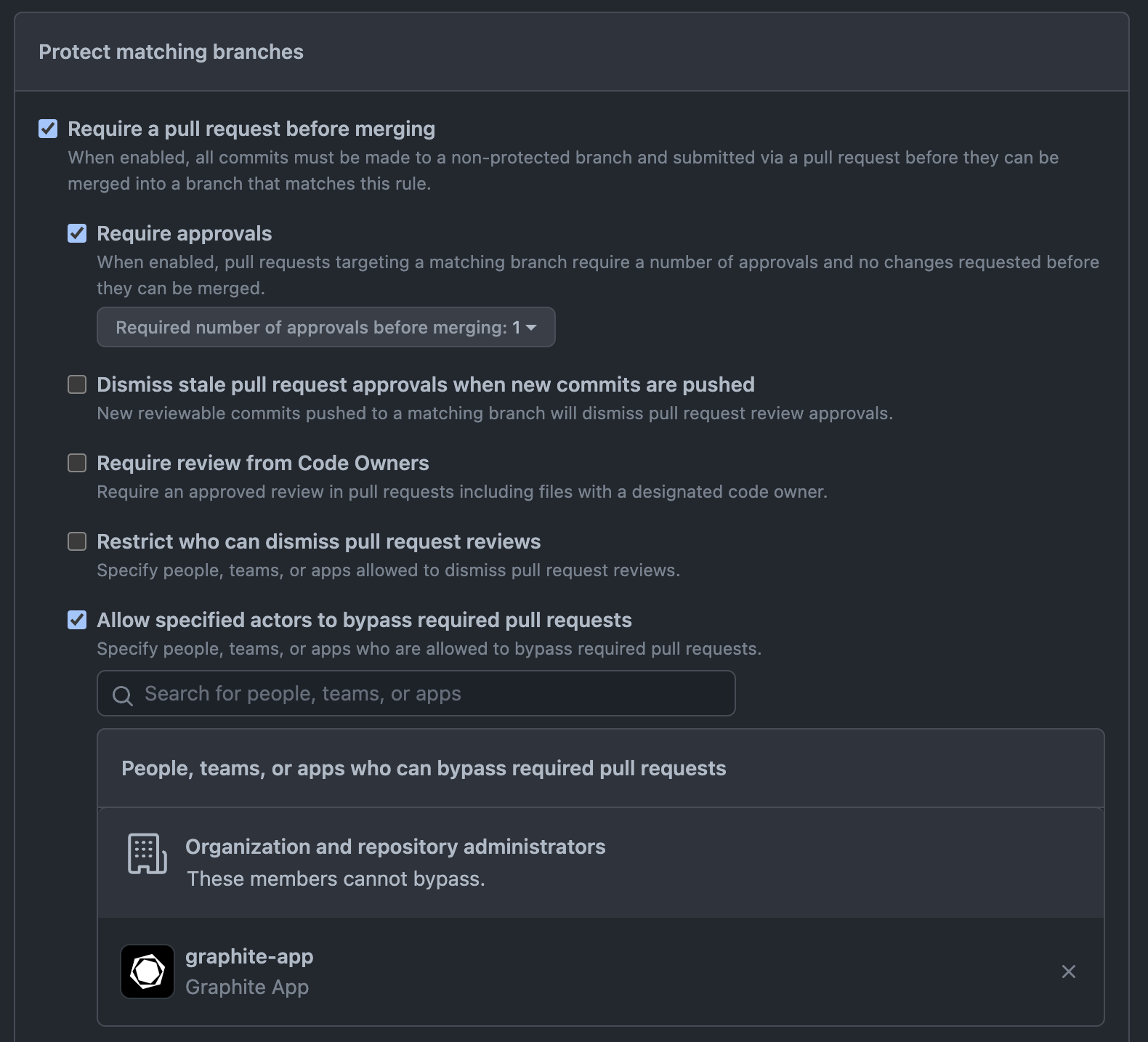
In order to implement speed improvements, the Graphite merge queue requires the Allow specified actors to bypass required pull requests permission. While you can use the merge queue with this setting disabled, enabling it will help our merge queue merge faster with merge queue optimizations. Under Protect matching branches → Require a pull request before merging- Ensure that you have Allow specified actors to bypass required pull requests selected
- Add the Graphite App (graphite-app) to the list of who can bypass required requests
Rulesets
Simply add theGraphite App to the Bypass list with Always allow.

Optional: Adjust merge queue settings
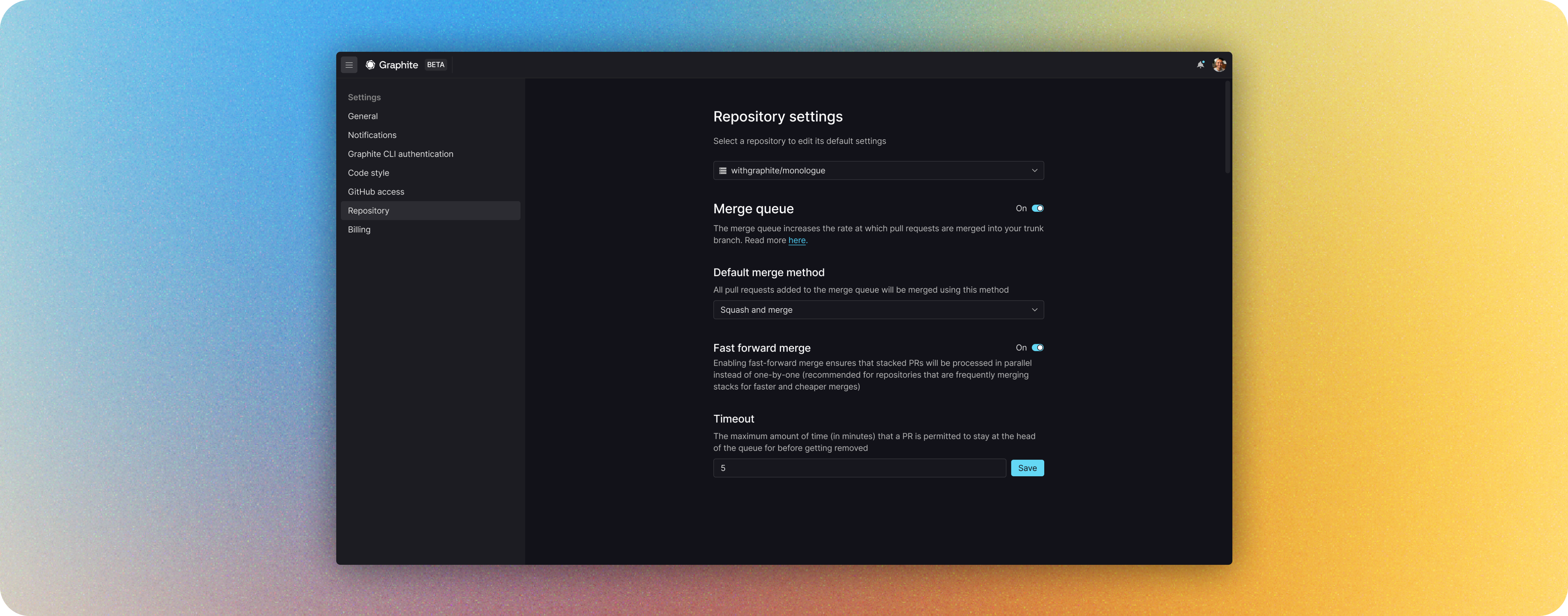
Default merge strategy
- Rebase: rebase your changes on top of your trunk with commits unchanged (equivalent to GitHub’s rebase and merge)
- Squash: rebase your changes on top of your trunk with each PR squashed to a single commit (equivalent to GitHub’s squash and merge)
Timeout
Configuring the merge queue timeout allows you to place an upper-limit on the amount of time a PR can stay at the head of the queue, ensuring that the queue never hangs in the event that a regression is introduced.Merge queue label
Allows your team to add pull requests to the merge queue from anywhere by applying this label. The PR will be queued when it’s ready to merge. Make sure your team uses this label exclusively for the merge queue. For more information on using the label to enqueue PRs see here.You can only enqueue via label if you have a Graphite account set up.If a user tries to add the merge queue label to their PR and doesn’t have a Graphite account, the label will be removed and the user will be prompted to create an account on Graphite in the PR’s comments on GitHub.